· How To · 4 min read
AdCreative.ai for Restaurants: What $39 a Month Gets You for Facebook and Instagram Ads
A plain look at AdCreative.ai for owner-run restaurants: what it makes, how the credit math works for a weekly promo schedule, and where it falls short.
Disclosure: this post contains affiliate links. If you sign up for a paid AdCreative.ai plan through them, EchoAI earns a commission at no extra cost to you. We have not run a paid restaurant campaign with the tool yet, so this is a walkthrough of what it offers and how we would use it, not a results report.
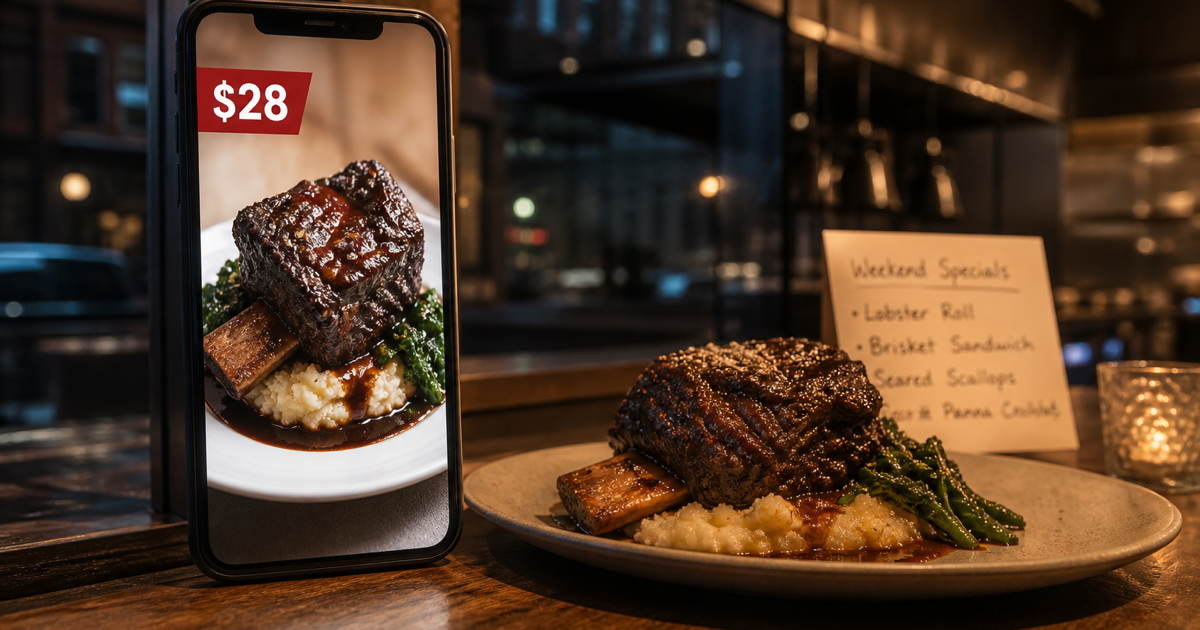
It’s Thursday night. The kitchen is closed, the weekend special is a braised short rib, and somebody has to turn a phone photo of it into a Facebook ad before Friday lunch. In most owner-run restaurants that somebody is the owner, and the ad ends up as the same photo with “$28 this weekend” typed on top in Canva.
That gap is what AdCreative.ai is built for. You give it a brand, a photo and a line about the offer, and it produces finished ad images and copy in the sizes Meta and Google ask for.
What it actually does
You set up a “brand” first: logo, colors, a short description. Every ad it generates after that uses them, which matters for a restaurant that wants the Tuesday dumpling deal and the Sunday brunch post to look like they come from the same place.
From there you can generate ad images from your own food photos or from its stock library (iStock images are included on every plan) and write headlines and ad text with its text generator. Depending on the plan, it can also score creatives against each other, read how your past ads performed once you connect your ad accounts, and show a competitor’s best-performing ads from their URL. The pricing page lists which of these come with Starter.
The part restaurant owners should care about most is the billing rule. Generating is unlimited. You only spend a credit when you download a creative. So you can make twenty versions of the short-rib ad, throw away nineteen, and pay for one.
The math for a small restaurant
The Starter plan lists at $39 a month for 20 credits and one brand, and a little less per month if you pay quarterly or yearly (AdCreative.ai pricing page, checked November 2, 2026). Credits reset monthly.
Say you post three promotions a week and need each one in two shapes, a square feed post and a vertical story. That’s six downloads a week, about 26 a month, which is more than Starter covers. Two promotions a week in two shapes comes to about 17 downloads, which fits. Count the ads you actually shipped last month, not the ones you meant to, before picking a plan.
If you run two concepts under different names, note that Starter is one brand. The next Starter tiers add a second brand and more credits ($89 for 50 credits).
Where it fits and where it doesn’t
It is a good fit if you already boost posts or run small Meta campaigns and the bottleneck is making the creative, not deciding what to promote. It won’t fix a bad photo of brown food under yellow light. Take the photo near a window, then let the tool do the layout and the text.
A lot of the product is aimed at e-commerce and fashion (product photoshoots, fashion videoshoots, catalog work). A restaurant uses a small slice of it, mainly the ad creatives, the text generator and the stock images. For a restaurant, that slice is the whole reason to pay, so judge the price against it alone.
Two practical notes from signing up. The 7-day free trial gives 20 credits, and when we registered on November 2 it asked for a credit card before letting us into the app. The trial rolls into a paid plan on day 7 unless you cancel, and AdCreative.ai says it emails a reminder on day 5. Put the cancel date in your calendar the day you start.
How we would use it
Plan the month’s promotions first, on one page: what, which days, which audience. Then batch the creative in one sitting. Generate several versions per promotion, keep the best two, download only those. Reuse the brand settings so every post looks consistent, and keep a simple note of which ad drove reservations or orders, because the tool can tell you which image looked best but only your register can tell you which one sold short rib.
You can start the 7-day trial here (affiliate link).
Ads bring people in. The other half of the job is answering the phone and replying to the reviews they leave afterwards. That’s what we build at EchoAI: an AI front desk that answers every call, takes bookings and drafts review replies for owner-run restaurants. Book a demo to see it on your own menu and hours, or see what it costs.